STEAM
 UPLAY
 PC Games
 Poland(Polski)
 United States(English)
 United Kingdom(English)
 Germany(Deutsch)
 France(Français)
 Spain(Español)
 Italy(Italiano)
 Czech(česká republika)
 Portugal(Português)
 Brazil(Português)
 Hungary(Hungarian)
 Greece(Ελληνικά)
 Slovak(Slovenčina)
 Romania(România)
 Croatia(Hrvatski)

ApowerMirror Lifetime Plan
245.52PLN
272.80PLN
-10%
Platforma:

Region:

Tagi:
Other Software
Zbiory:
W magazynie
Ilość:
1-500
Opis produktu
Click here to download ApowerMirror
Product Overview
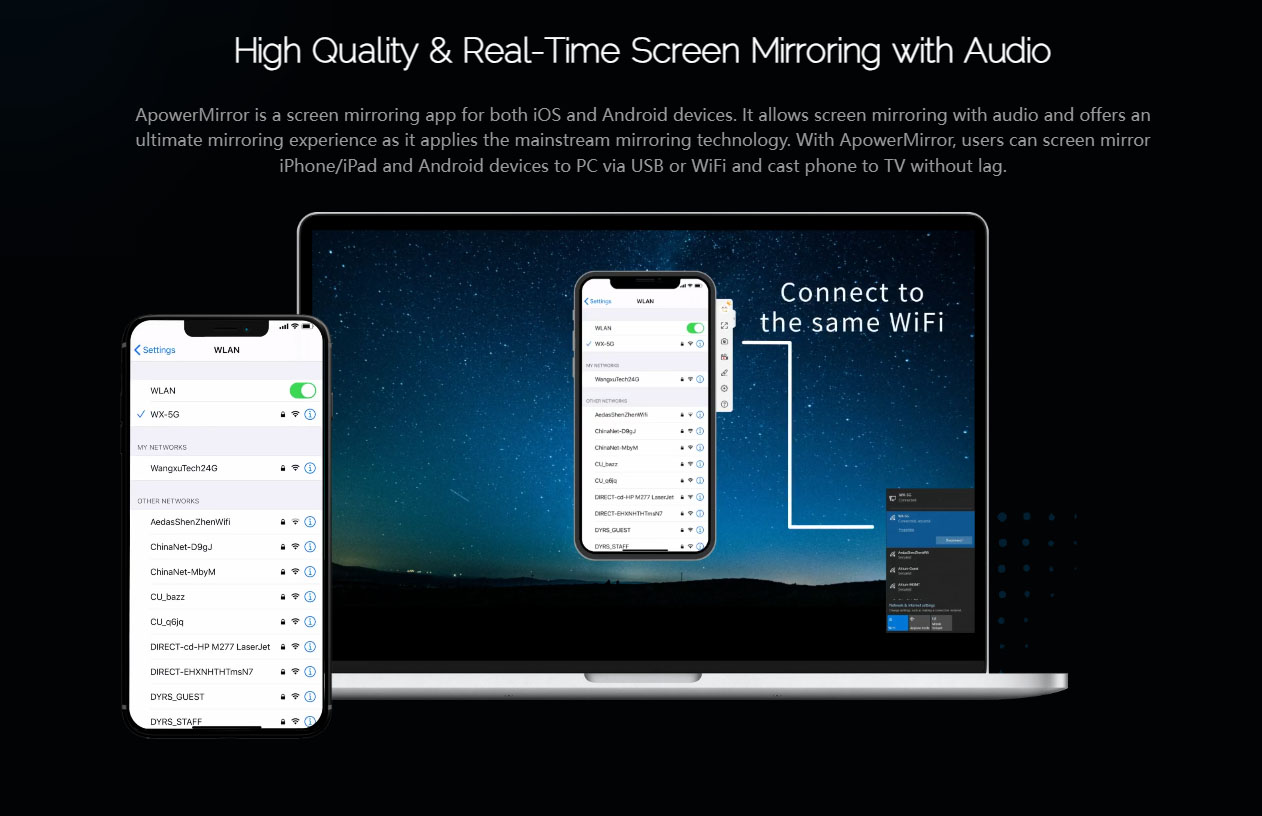
ApowerMirror is a versatile and user-friendly cross-platform screen mirroring and casting software that supports Android and iOS devices, compatible with Windows, macOS, and smart TVs. It provides seamless connection via Wi-Fi or USB, enabling mirror display with audio and real-time interaction—ideal for both personal and professional use.
Key Features
- Mirror your Android or iOS device to PC or Mac with audio, using Wi-Fi or USB connection.
- Control Android devices from your computer with keyboard and mouse (reverse control).
- Cast to smart TVs (supporting AirPlay, DLNA, Chromecast), including options to mirror PC or phone to TV.
- Support multi-device mirroring—up to 4 devices can mirror simultaneously to one PC.
- Built-in functions: screen recording, screenshots, notes/annotations (whiteboard), and file transfers.
- Customizable virtual keyboard for mobile gaming with key mapping.
- Multiple casting methods: QR code scanning, projection code input, AirCast (remote casting), Wi-Fi, or USB.
- Additional tools: screenshot & recording buttons, drawing annotations, volume control—all accessible during mirroring.
Use Cases & Marketing Messaging
- Home Entertainment: Cast sports, live streams, videos, and family moments to TVs or PCs for a better viewing experience.
- Gaming: Play mobile games on a larger screen with keyboard and mouse controls for improved performance and gameplay.
- Work & Presentations: Mirror documents, PPTs, or meeting content easily for effective collaboration in meetings or conferences.
- Education & Online Learning: Projects classes or tutorials—use the whiteboard tool for annotations and engage students visually.
- Remote Assistance: Control family members’ phones via PC to offer real-time support or troubleshooting.
2) Unique selling point
- Broad Cross-Platform Support: Works across Android, iOS, Windows, macOS, and smart TVs using common protocols like AirPlay, DLNA, and Chromecast.
- Comprehensive Control Capability: Offers reverse control for Android via PC, enabling efficient input and control using keyboard and mouse.
- Multi-Device Mirroring: Supports mirroring up to four devices to one PC at the same time—great for comparisons, team demos, or monitoring.
- Flexible Connection Methods: Use Wi-Fi, USB, projection code, or remote AirCast for versatile setup and use scenarios.
- Integrated Toolset: Embeds recording, screenshotting, annotation (whiteboard), file transfer, and virtual keyboard—eliminates need for extra apps.
- Optimized for Mobile Gaming: Custom key mapping allows seamless gaming on a PC, with enhanced controls and experience.
- Smart TV Casting Friendly: Stream content directly to TVs using standard protocols—smooth and lag-free.
- User-Friendly Interface: Simple setup through intuitive design makes it accessible even to non-technical users.